Usage
CLI (nps)
nps "tearaway"                               # search PSV games by name or Title ID
nps -p PS3 -t DLCS "persona"                 # pick platform and content type
nps "tearaway" --list                        # list matches, don't download
nps "PCSC80018" -o ./downloads               # download a single match
nps "patapon" -p PSP --all                   # download every downloadable match
nps "tearaway" --json                        # machine-readable output (see Agents)
Options
| Flag | Meaning |
|---|---|
query |
Title ID or name, case-insensitive. |
-p, --platform |
PSV (default), PSP, PS3, PSX, PSM. |
-t, --type |
GAMES (default), DLCS, THEMES, UPDATES, DEMOS, AVATARS. |
-r, --region |
Region to include, repeatable (e.g. -r US -r EU). |
--name |
Match a name substring only (vs the combined query). |
--title-id |
Match a Title ID substring only. |
--max-fw |
Only items requiring firmware ≤ this version (e.g. 3.60). |
--min-size / --max-size |
Bound size; accepts 100MB, 2GB, or raw bytes. |
-o, --output |
Output directory (default: saved download_dir, else ./downloads). |
--flat |
Don't split downloads into per-console subfolders. |
--local |
Force the built-in downloader even if an aria2 instance is configured. |
-l, --list |
List matches without downloading. |
-a, --all |
Download every downloadable match. |
--json |
Print matches as JSON; no download. |
-c, --concurrency |
Max concurrent downloads (default: saved value, else 3). |
--no-verify |
Skip SHA-256 verification. |
--refresh |
Force-refresh the catalog from NoPayStation. |
--reset-cache |
Delete all cached catalogs and exit. |
--offline |
Use only the cached catalog (no network). |
NoPayStation doesn't publish every platform × type combination; unavailable combinations return nothing.
Where files go
Downloads are split by console so a mixed batch stays tidy:
downloads/
  psvita/  psp/  ps3/  psx/  psm/
Pass --flat (or turn off the toggle in Settings) for a single folder. The base
folder comes from -o, else your saved download_dir, else ./downloads.
Shared settings
The CLI reads the same settings.json the TUI writes, so saved values become
defaults — download_dir, concurrency, verify, a default region, the
per-console toggle, and an aria2 instance. Precedence is explicit flag > env
var > settings > built-in default. In particular, if you save an aria2 URL,
plain nps "game" routes to it automatically (use --local to override).
Filtering
Flags combine, so you can narrow a list before browsing or downloading:
nps "" --max-fw 3.60                    # everything that runs on firmware <= 3.60
nps "persona" -p PS3 --max-size 2GB     # skip the huge ones
nps --max-fw 3.65 --min-size 100MB --json
--max-fw is the firmware-compatibility filter homebrew users want: it keeps only
items whose required firmware is at or below the version you give. Items with an
unknown required firmware are excluded, not assumed safe. required_fw is also
in the --json output, so an agent can filter on it too.
TUI (trove)
trove
Search, multi-select (selections survive searches), and download with live
progress or aria2 hand-off. Press / to focus search; the result table keeps
the action keys (download, select) live while you browse.
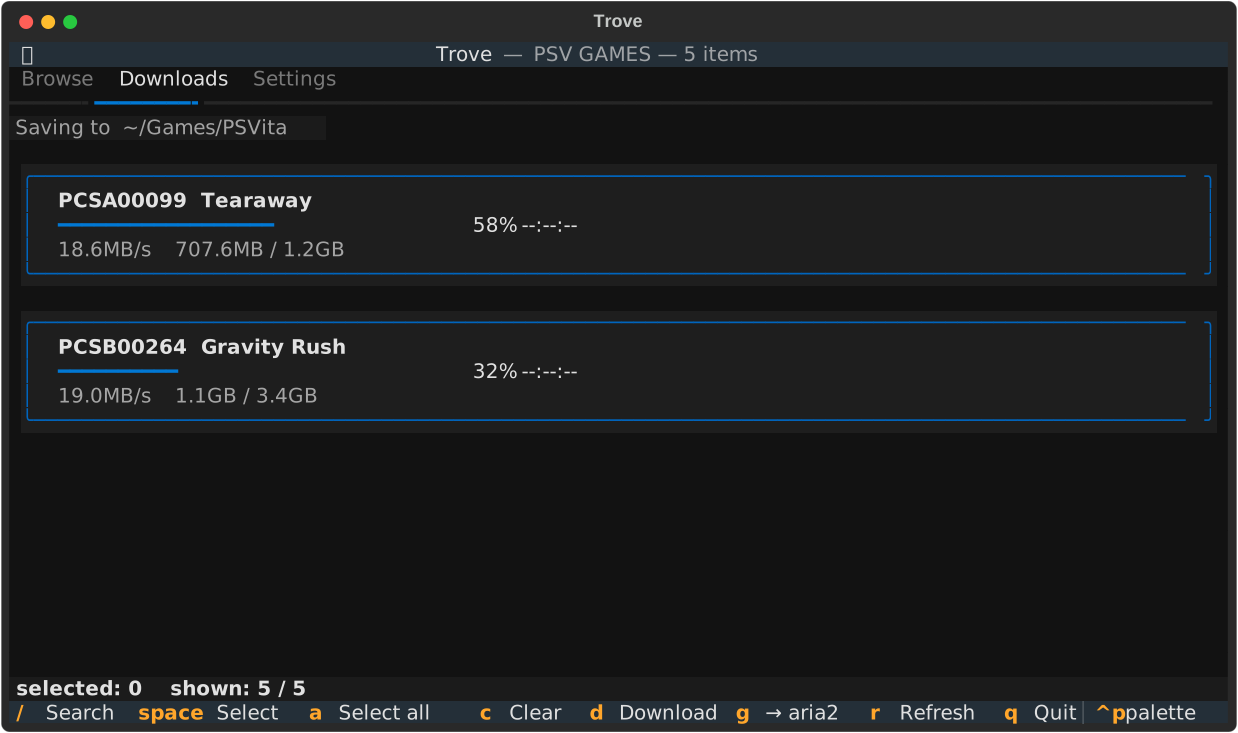
The Downloads tab shows where files are being saved, plus a live speed and size for each transfer:
Settings
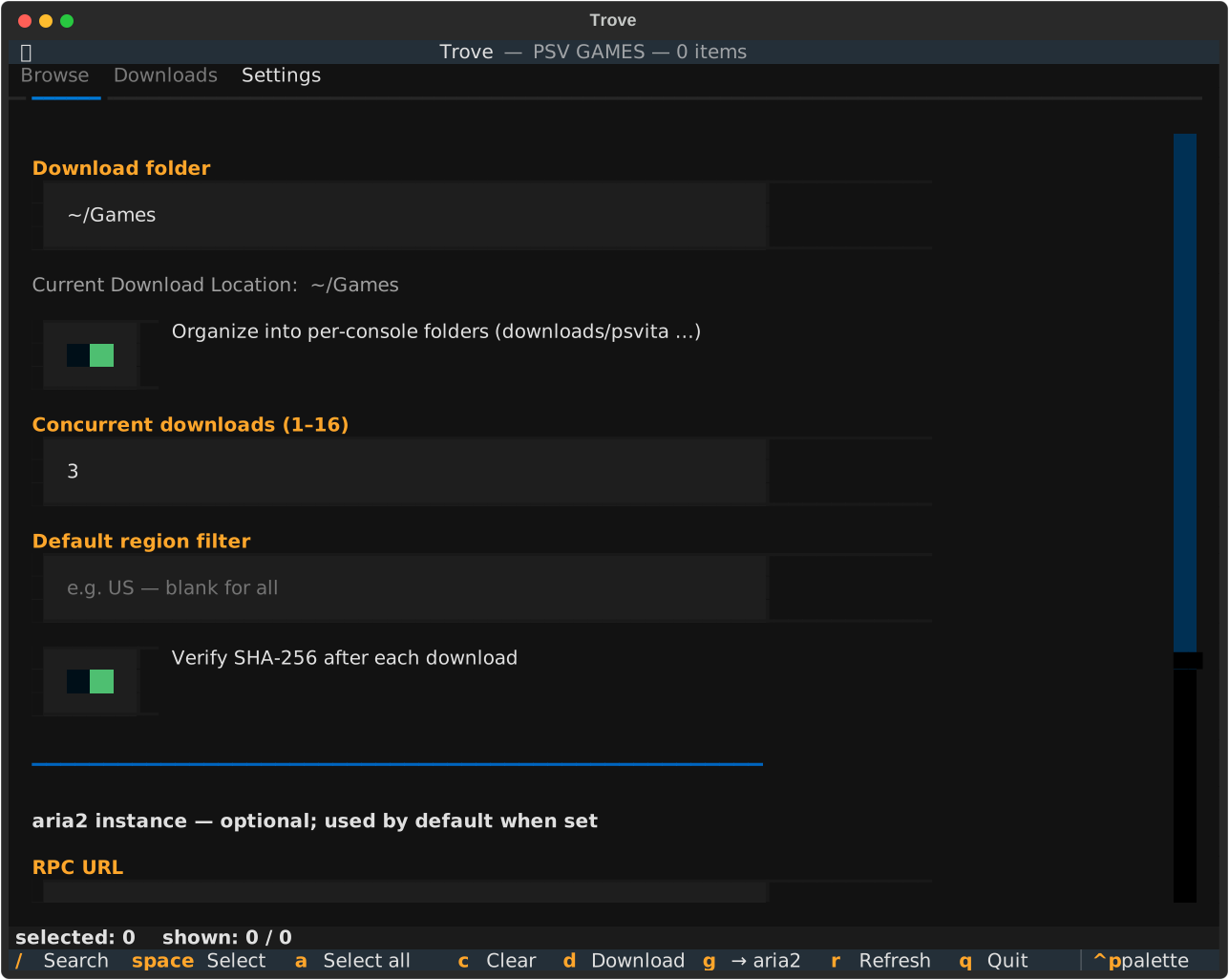
The Settings tab saves your download folder, the per-console organize toggle,
concurrency, SHA-256 verification, a default region filter, and an optional aria2
instance (RPC URL / secret / remote dir). The current resolved download location
shows live under the folder field. Everything applies immediately and persists to
settings.json in your OS config directory (~/.config/trovenps on Linux;
override with NPS_CONFIG_DIR) — the same file the CLI reads.
aria2 hand-off
Use aria2 as the download engine instead of the
built-in downloader. The simplest form is one command — it needs aria2c on
your PATH:
nps "patapon" -p PSP --all --aria2-run # download now via local aria2c
Or export an input file and run aria2c yourself:
nps "patapon" -p PSP --all --aria2 patapon.txt
aria2c -c -j3 -i patapon.txt
Or push to a running aria2 daemon over RPC:
nps "patapon" -p PSP --all \
  --aria2-rpc http://localhost:6800/jsonrpc \
  --aria2-secret TOKEN
--aria2-rpc and --aria2-secret fall back to ARIA2_RPC_URL /
ARIA2_RPC_SECRET, then to a saved aria2 instance (so once it's in Settings you
can drop the flags entirely). Use --aria2-dir for the download directory on the
aria2 host. All three carry over the embedded SHA-256 checksums and the
per-console subfolders.
Caching & configuration
- Catalogs come from NoPayStation and are cached for 30 days, then revalidated
with an ETag (an unchanged dataset costs a
304, not a refetch). - The cache lives in the OS cache directory; set
NPS_CACHE_DIRto relocate it. - Optional error reporting goes to GlitchTip/Sentry via
GLITCHTIP_DSN(install themonitoringextra).